Org chart
Org chart built from your HR records
The chart comes from each person's manager field. When a record changes, the chart changes with it, so there is no separate diagram to keep up to date.
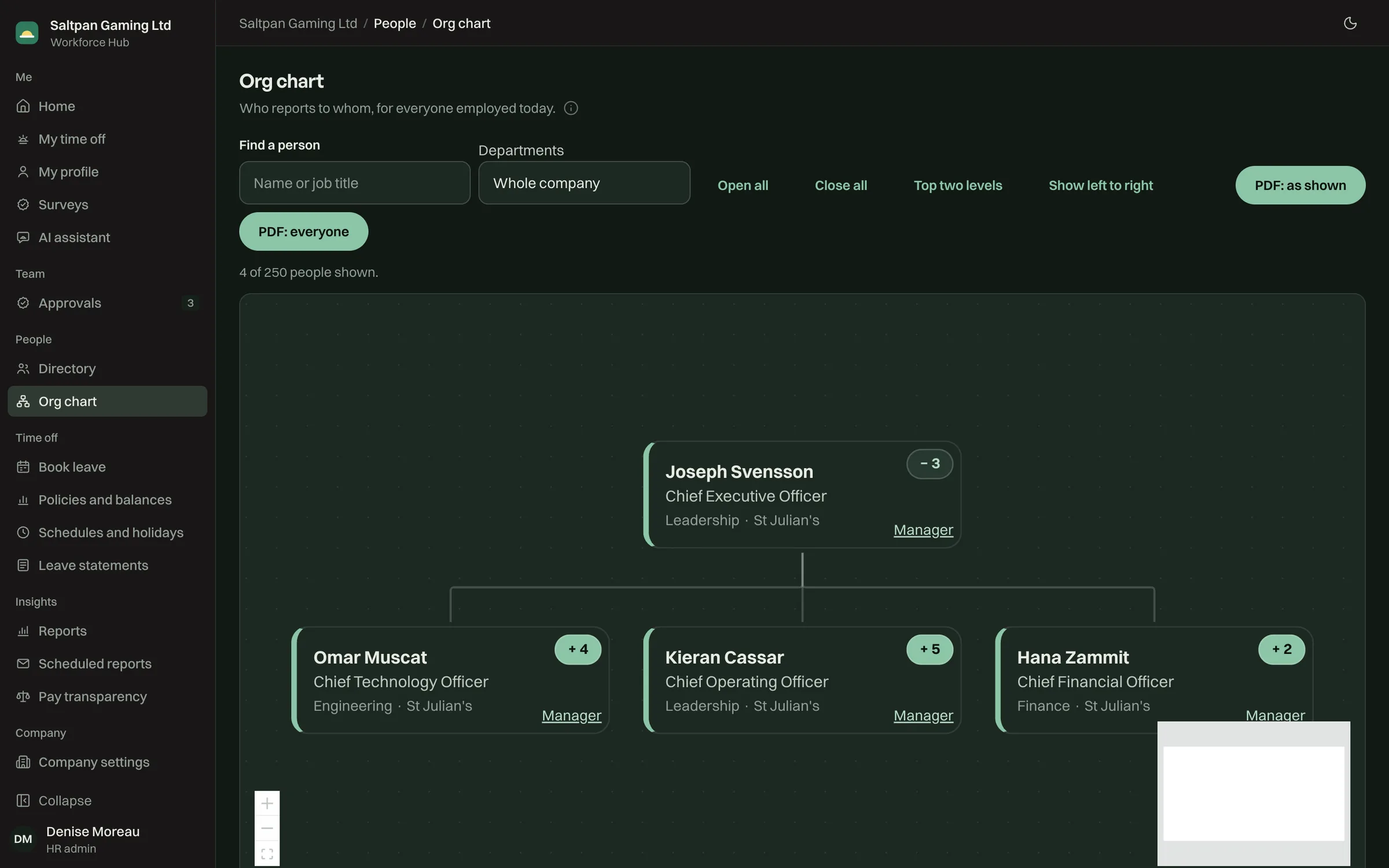
Open the whole company or one team
Start from the top or search for a person. Open a manager's team with one click, show the top two levels, or lay the chart out left to right for a wide company.
- Search by name or job title
- Filter by department
- Each card shows the size of the team below it
Export to PDF
Export the chart as it's shown, or the whole company. The PDF uses the same layout as the screen, so what you checked is what you send.
- PDF of the current view or of everyone
- HR changes anyone's manager from their card
- Leavers drop off on their last day
Other modules
Every part works from the same records, and one price per employee covers them all.
- PeopleOne record per person, with job and pay changes that apply on the day they take effect.
- Time offLeave counted in hours against each person's schedule, and approved from the manager's phone.
- ReportsPeople and time-off reports, a full Excel export, and every change in an audit log.
- Pay transparencyThe EU gender pay gap report, pay bands and pay requests, from the pay data you already keep.
- AssistantsClaude, ChatGPT and Cursor connect over MCP, with the app's permissions, once HR turns it on.
Your first 3 employees are free
Tell us about your company. We set it up on your domain with your public holidays and leave policies, and your team books its first leave the same day.